Tuling Financials module
Fee Desk Desktop App
A Windows counter app for the accounts office — find a student, collect, print the receipt, and receive the library's cash, all on the same data as the web platform.
About this module
Fee Desk is the counter tool of Tuling Financials. It signs in with the same accounts as the web platform, so each person sees only what their role allows, and it wears the same look as the Library Desk.
One fine, two counters
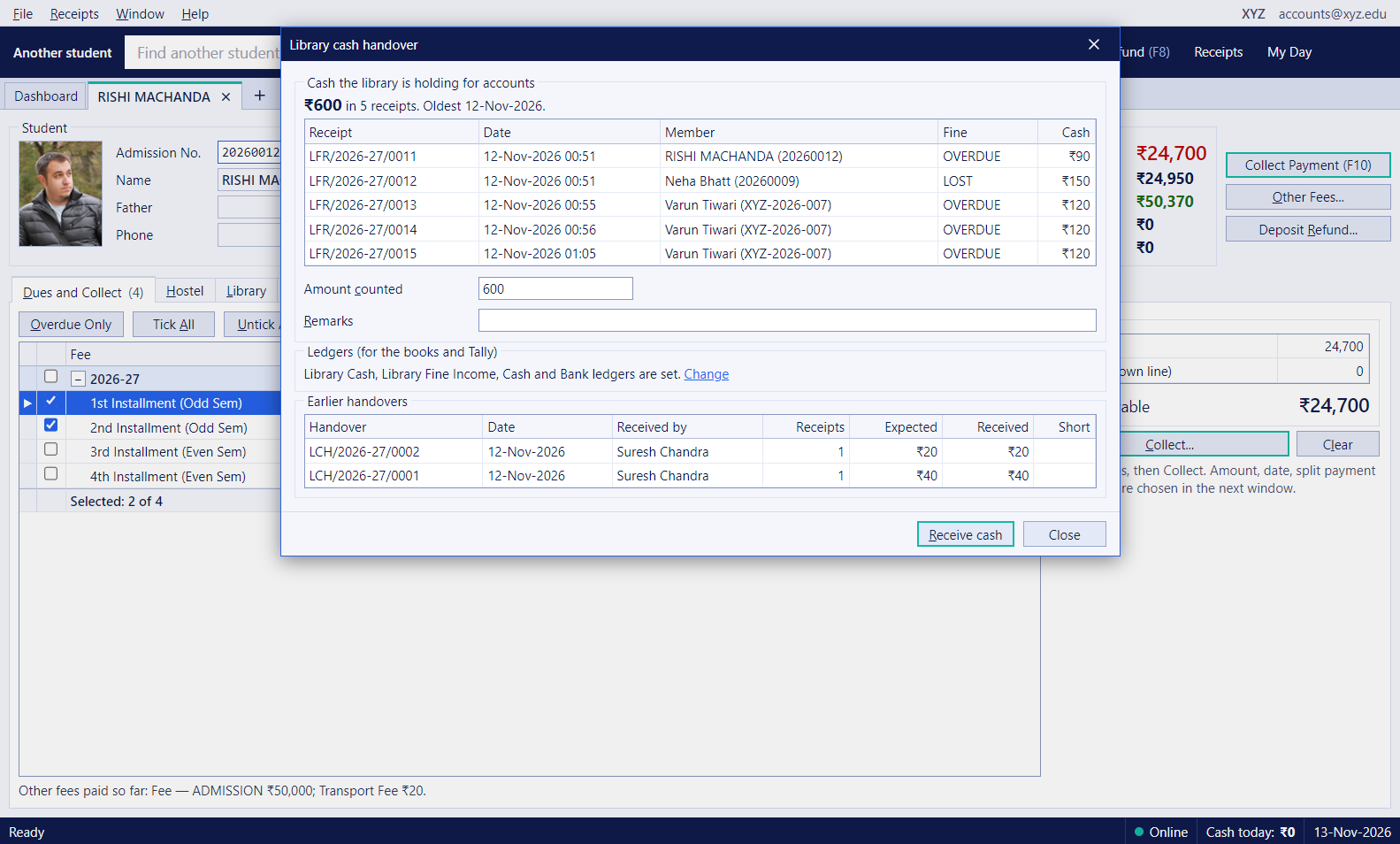
A library fine is a single record. The library can collect it, or Accounts can, and either desk sees the same balance and the same receipts afterwards. Cash taken at the library is held until the weekly handover, when Accounts counts it and receives it here.
Capabilities
Collecting at the counter
-
One search for students and enquiries
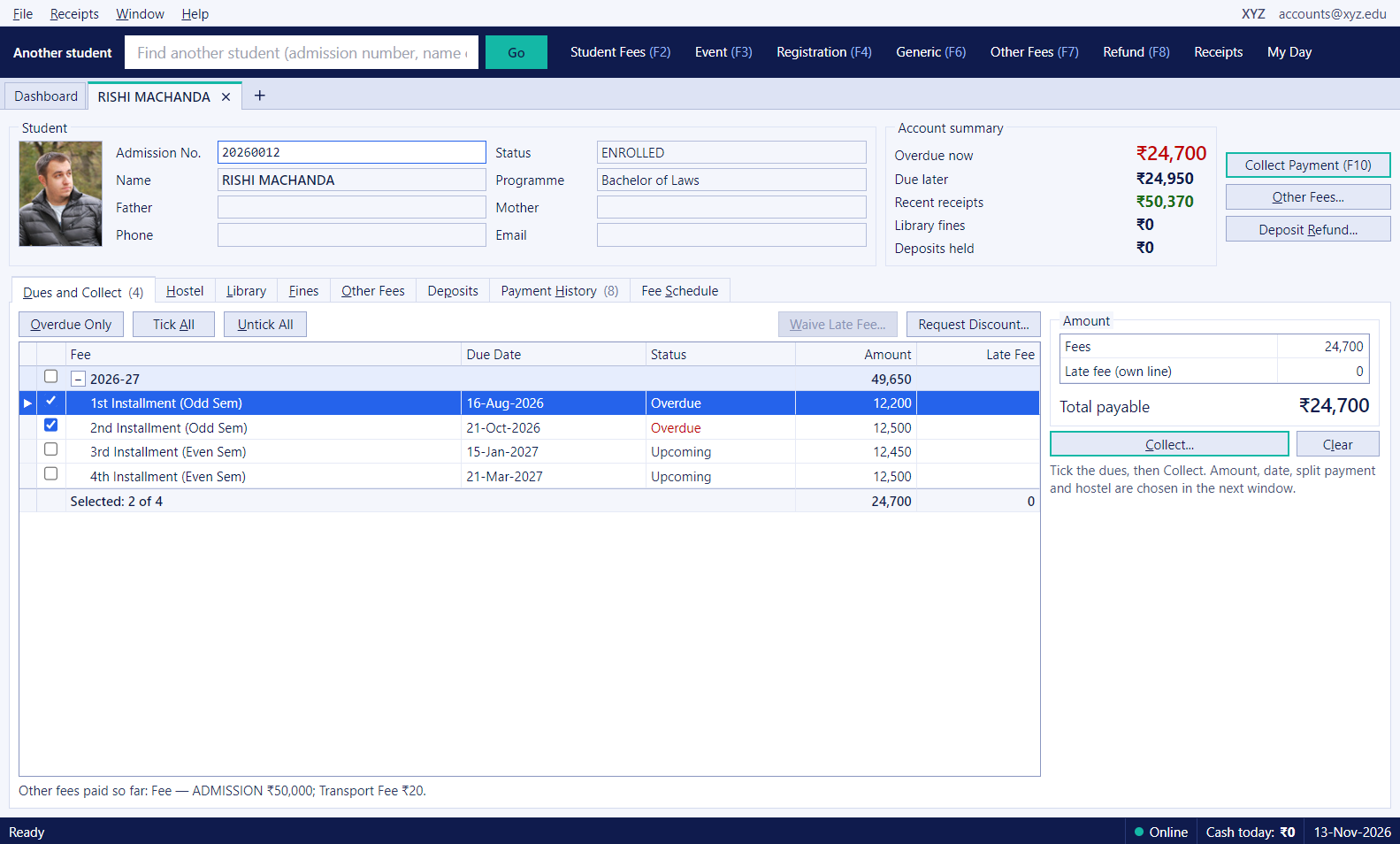
Find a student or enquiry by admission number, name or phone from the bar at the top, and open the profile with dues, hostel, library, deposits and fines in one place. Searching another student replaces the open one, so the desk never fills with tabs.
-
Cash, card, UPI and split payments
Tick the dues, choose the mode, or split one payment across several modes. Print the receipt with the college letterhead, a QR code, and two copies on one sheet.
-
Early payment, advance and late fee
Take an instalment before its due date, hold an advance for an admission that has not started, and see late fee on the receipt where it applies. First-year students are not fined, and a late fee can be waived with a reason.
-
Event, generic and other fees
Collect event fees, generic payments and any fee head set up in the platform, with an ad hoc fee when something new is charged. Payer details are checked against the student or staff record.
Receipts and the day's cash
-
My Day for the cashier
Cash, online, cheque and UPI taken today, with the total and a table of every payment, so the drawer can be counted at the end of the shift.
-
Today's receipts and reprints
See every receipt taken today, reprint any of them, and watch the cash total in the status bar as you work.
Library fines and the weekly cash handover
-
Library fines at the accounts counter
A student's library fines appear on their Fines tab, with the ones already paid. Accounts can collect a library fine here, and the library sees it paid straight away.
-
Weekly cash handover from the library
Cash fines taken at the library are held as a balance the library owes Accounts. Once a week the Accounts person counts the cash and receives it. A short count stays owed by the library, and the handover is recorded with who received it.
-
Posted for Tally
Each library fine payment and each handover is posted as a receipt or contra voucher that the Tally connector picks up. Accounts chooses the library cash, fine income, main cash and bank ledgers once. Card and UPI go to the bank, not the cash handover.
On every desk
-
Same sign-in and roles
The app uses the same user accounts and roles as the web platform, so a cashier sees only what their role allows, and everything done in the app shows in the web reports.
FAQ