Single campus
One institution, scoped modules
Custom quote Per institution · scoped modules
- Core Tuling Admission Management Software modules you need
- Tenant subdomain and campus-scoped access
- Implementation & training support
One admission desk from the first enquiry to an enrolled student, with your own forms, flow and stages, for a team of two or a team of fifty.
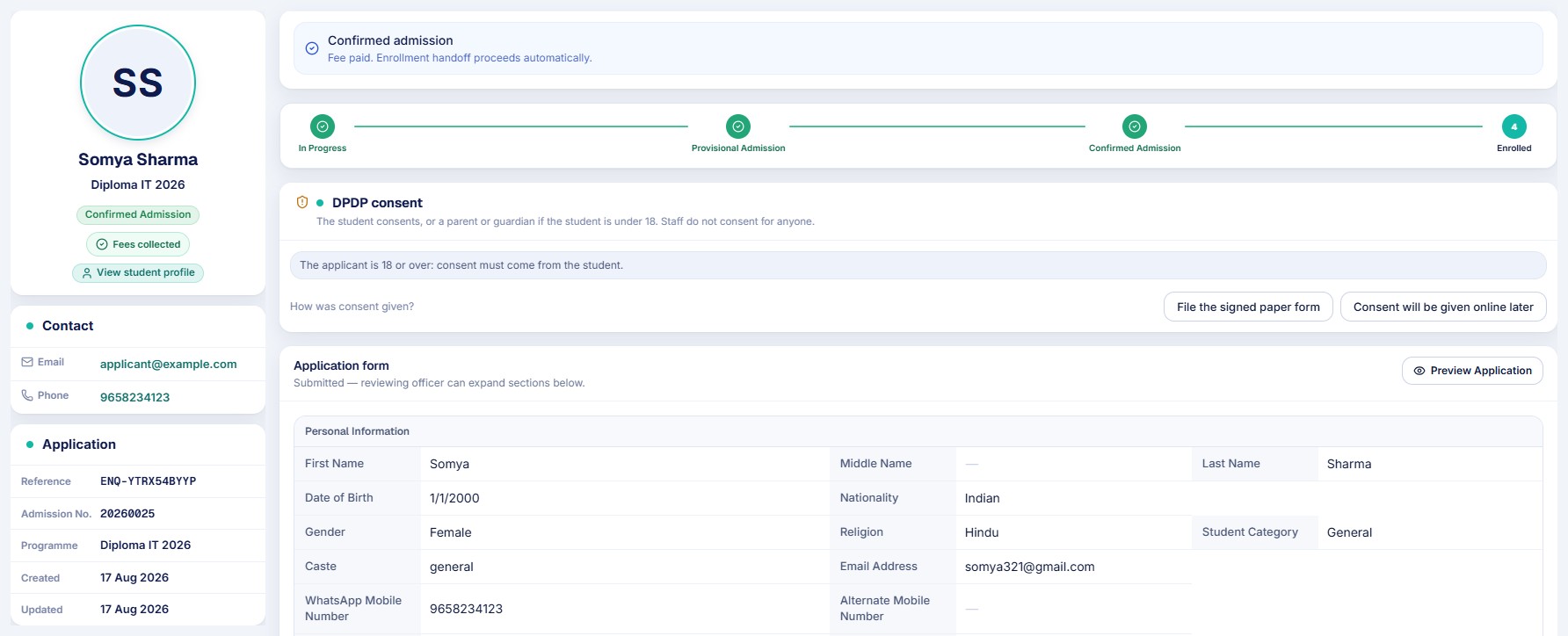
Admission management software runs the whole admission cycle in one place. It takes an applicant from the first enquiry to an enrolled student, and hands over a student record and a fee challan.
Every class, programme or course is opened for admission on its own, with its own seats, form and steps. That is what lets one system fit very different institutions.
Run admissions class by class, with a form for parents and guardians and consent recorded before data is processed.
Programmes with intake capacity, merit lists, entrance-exam and minimum-score rules, quota checks and a fee challan that ends in an enrolled student.
Many programmes, departments and counsellors on one desk, each programme with its own head, form and flow.
A short flow with one or two people at the desk, adding steps only when you need them.
You do not have to change how your institution admits students to fit the software. Set up the form, the steps and the rules for each programme, and the desk follows them: your own application form with the fields you need, your own flow with the steps and branches you use, and your own rules for who may move an application and when an admission is confirmed.
In a small team one person can hold several of these roles.
| Role | What they do | What they see |
|---|---|---|
| Counsellor | Records enquiries, helps applicants fill the form, follows up | Their own enquiries and applications |
| Admission officer | Verifies documents, reviews applications, runs merit lists, offers provisional seats | Applications, documents and merit lists |
| Head of admissions | Manages the team, approves withdrawals and programme changes | Every counsellor, course and month, for any period |
| Accounts | Collects the registration and admission fees, so confirmation follows payment | Challans, payments and receipts |
| Registrar | Issues the admission number, activates the student record, handles readmission | Enrolled students and the student registry |
| Principal or director | Reviews admissions across departments and programmes | Admission trends and reports |
Looking for the full picture? See our guide to college admission software.
Tuling CRM keeps enquiries and counsellor follow-up. When an application is accepted, it arrives here through the CRM intake queue.
The complete process
Ten stages, each with an owner and a record. This is the standard flow, and every programme can add, remove or reorder steps.
Every admission starts from an enquiry: a walk-in, a phone call, an email, an online form, a referral, social media or an event. It is recorded with the programme the person asked about and assigned to a counsellor.
Done by Counsellor or front desk
A registration fee is collected and receipted, and the enquiry becomes a registration. Institutions that take no registration fee can start an application without one.
Done by Counsellor and Accounts
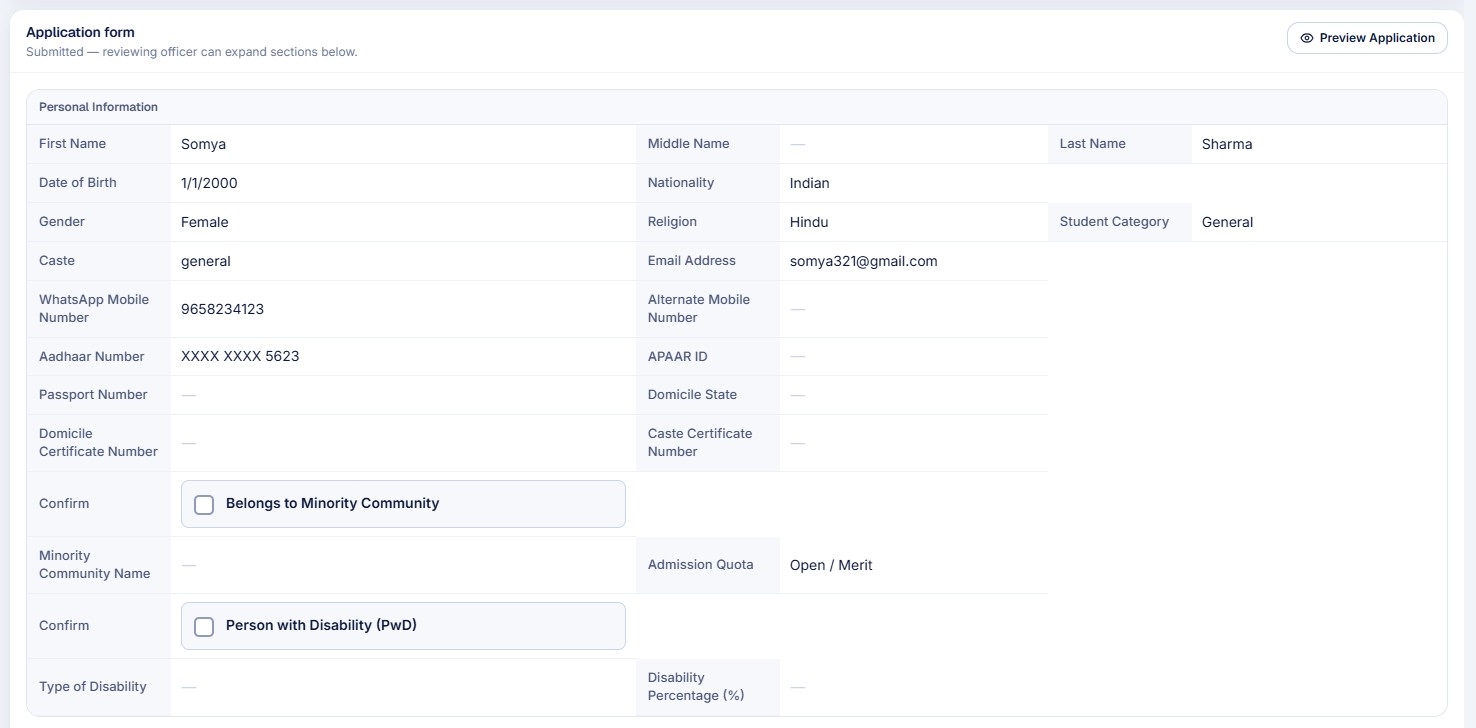
The applicant fills the programme's own application form, online or with help at the desk. Privacy consent is recorded before any data or documents are processed, from the student or, for an applicant under 18, from a parent or guardian.
Done by Applicant or counsellor
Documents are uploaded against the list each programme asks for. The officer verifies each one or sends it back with a reason, and every application shows what is still missing.
Done by Applicant and admission officer
Where your process has an entrance test, an interview, a quota check or a document verification step, it is a step in the flow with its own owner and time limit.
Done by Admission officer and panel
Applications are reviewed, ranked on a merit list where it applies and allotted a seat against the programme's intake capacity. A waitlist keeps the next applicants in order.
Done by Admission officer and department head
The applicant is offered a provisional seat. The course and fee challan are allotted, and the application waits for payment.
Done by Admission officer
The fee challan goes to Accounts. When the fee is paid at the counter the admission is confirmed automatically. Each institution chooses whether payment is required before confirmation.
Done by Accounts
The admission number is issued and the student record is activated, ready for classes, attendance, fees and the student portal. Hostel and transport can be allotted straight after.
Done by Registrar
Returning and detained students go through readmission. A student who leaves is recorded through a withdrawal that a manager approves. A change of programme goes through its own approval.
Done by Counsellor, manager and registrar
Capabilities
The capabilities that make Tuling Admission Management Software more than a records system.
Every enquiry is recorded, assigned and followed up, and each counsellor sees their own work.
Applicants apply online, and staff take an application at the desk for a walk-in, on the same form.
Build the form your institution actually uses, and give each programme or class its own.
Design the steps an applicant goes through, and attach a flow to each programme.
Decide who may move an application from one status to the next, for each programme.
Every programme or class opens for admission with its own dates, seats and requirements.
Included
Everything from the first enquiry to an enrolled student, in one module of the Tuling ERP.
Modular entitlements — enable only what your institution needs.
How Tuling Admission Management Software connects to the rest of the platform.
Licensing
Tuling Admission Management Software starts from ₹8,445 per month for the smallest plan. Larger plans are scoped to your team, programmes and campuses, and we prepare a formal proposal.
One institution, scoped modules
Custom quote Per institution · scoped modules
Most common for groups
Roll-up reporting across campuses
Custom quote Per institution · scoped modules
HCM, SIS, Financials & more connected
Custom quote Per institution · scoped modules
Next steps
Walk through Tuling Admission Management Software with the product team — live ERP, your modules, your questions.
Schedule demo →Institution platform overview PDF for proposals and internal review.
Get PDF →See how this product connects to HCM, SIS, Tally, Power BI, and more.
View integrations →Request a formal quote scoped to your campus size and module list.
Contact sales →FAQ